Beta · Direct APK install
GENIX Business Suite —
now on Android.
Access GENIX from your Android smartphone or tablet. Manage your CRM, invoices, payments, forms, documents and business tools — everywhere you go.
Beta APK will be available shortly.
Soon available on Google Play Store.
Phones
Tablets
Push alerts
Feature highlights
Your entire business — pocket-sized.
Every module from the web suite is reachable in the Android Beta, with native push notifications and offline-friendly inbox.
Admin Dashboard
Tenants, billing, customers, audit — all from your phone.
Customer Portal
Branded portal access for clients, OTP-secured.
CRM Access
Leads, deals, contacts, pipelines, tasks & lead scoring.
Invoices & Billing
View, send, download branded invoices on the go.
Payment Records
Razorpay, PayPal, Stripe & Dodo payments unified.
QuickPay
Generate, send & track one-time payment links instantly.
Forms & Submissions
Inbound submissions land directly in your inbox.
Sign Documents
Send for signature, track audit trail anywhere.
Push Notifications
Lead.created, invoice.paid, document.signed — instant alerts.
Secure Login
JWT + token revocation + 2FA support.
App tour
A quick look inside.
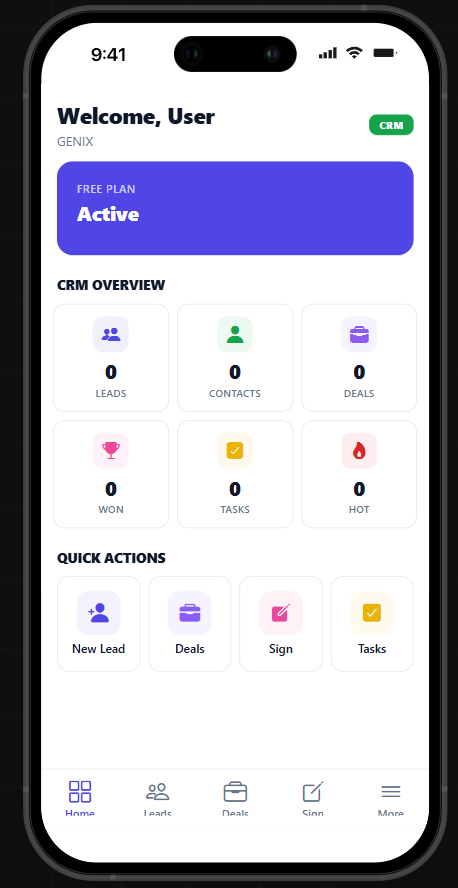
Home dashboard
CRM overview, plan status & quick actions on the go.
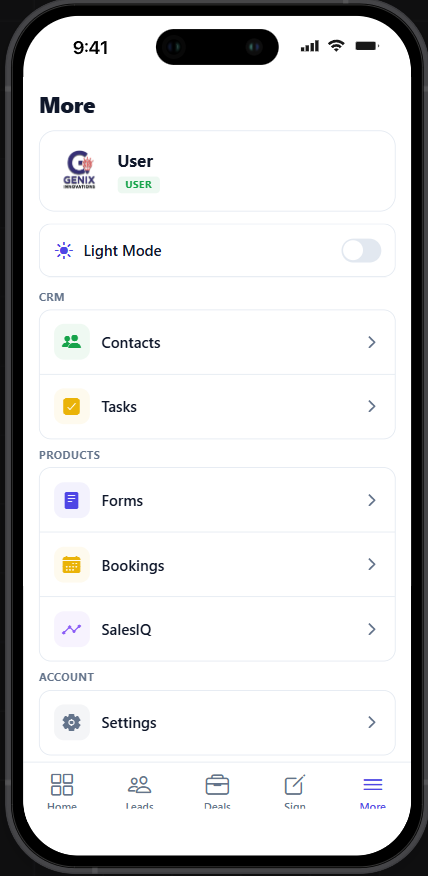
Modules menu
Contacts, Tasks, Forms, Bookings, SalesIQ in one tap.
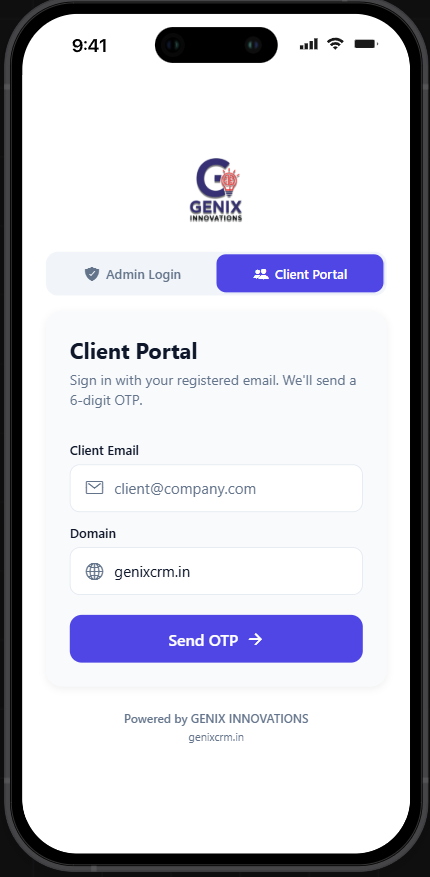
Client portal sign-in
Multi-tenant aware sign-in with domain validation.
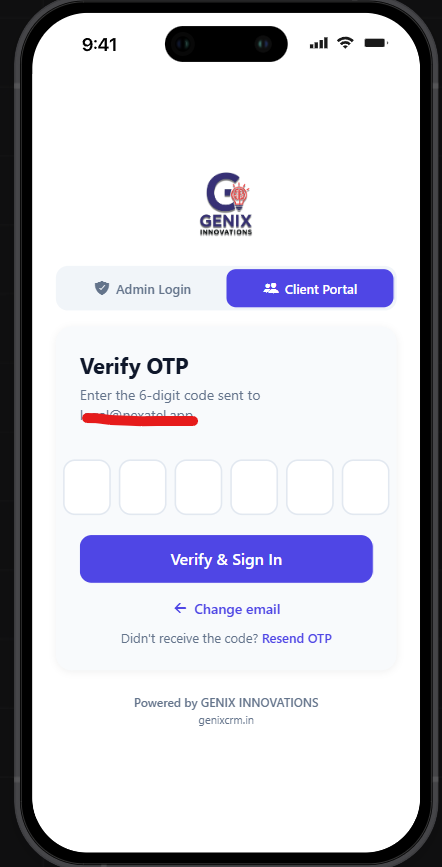
Secure OTP login
Passwordless 6-digit OTP for clients on shared devices.
Ready to install?
Beta APK arrives shortly.
Installation
How to Install GENIX Android App Beta
- 1Click “Download Android Beta App” below.
- 2After download completes, open the APK file from your notifications or Files app.
- 3If Android shows a security warning, tap Settings.
- 4Allow “Install unknown apps” or “Allow from this source”.
- 5Return to the APK file and tap Install.
- 6After installation, open GENIX Business Suite app and login with your account.
Samsung / Auto Blocker note
If your Android device blocks APK installation, please turn off Auto Blocker temporarily from device security settings, then install the app.
Security note
Only download the APK from the official GENIX website: https://genixcrm.in
Safe install · Beta version
- This is a beta version — features may evolve weekly.
- Install only from the official GENIX Business Suite website.
- Do not download GENIX APK from third-party websites.
- The app will be available on Google Play Store soon.